
Most Ahrefs outreach campaigns fail before the first email is sent. The problem is not a lack of backlink data. It is treating every referring domain, high-DR site, or vaguely related blog as a prospect.
Effective outreach is relationship-based contact used to earn relevant editorial links. Ahrefs gives you the evidence to find likely opportunities, but it cannot make a weak page worth citing or turn a generic backlink request into an editorial recommendation. The goal is simple: identify a useful page, find publishers serving the same audience, and make a specific suggestion that improves their content.
Start with a linkable page and a specific outreach angle
Do not open Ahrefs and export a report until you know what page you are promoting and why another publisher would reasonably link to it. Outreach works when the target page offers something the prospect's readers can use: original research, a practical tool, a detailed guide, a distinctive product insight, or a resource that is clearly better than the one currently cited.
The working rule is: one page, one prospect segment, and one credible reason to link. A SaaS benchmark report might be relevant to articles about industry metrics. A technical integration guide may fit a resource hub for a specific platform. Those are different audiences and should receive different outreach messages.
A general request such as "Would you consider linking to our website?" is not an angle. It gives the editor work to do and no reason to do it. Your request should identify the exact page, the likely placement, and the reader benefit.
Choose an angle before opening Ahrefs
Choose the outreach angle that matches your asset. The best default is a contextual resource suggestion: you find an existing sentence, claim, or section where your page adds useful supporting information. It is specific, editorially natural, and easier to evaluate than a broad partnership pitch. For a broader process for planning these campaigns, see how to build an SEO outreach strategy.
- Broken-resource replacement: a cited page no longer works and your resource genuinely covers the same need.
- Content gap: the article discusses a topic but misses a useful explanation, dataset, or practical step your page provides.
- Unlinked mention: the publisher already mentions your company, product, research, or brand without linking to the relevant page.
- Resource-page inclusion: a maintained collection has a clear category for your genuinely useful resource.
- Expert contribution: the publisher is gathering informed viewpoints, data, or comments on a topic where you have evidence to add.
- Guest-post pitch: you can propose an original article that fits the publication's audience and editorial standards.
Pick one. Combining several asks in one first email makes it less likely that the recipient will act.
Find proven prospects with competitor backlink analysis
Competitor backlink analysis is the foundation of a practical Ahrefs link building workflow. A site that has linked to a comparable guide, study, or tool has already shown topical interest and a willingness to cite external resources. That is far stronger evidence than a domain metric alone.
Start with true organic-search competitors, not necessarily every company that sells a similar product. If your page ranks for "B2B SaaS onboarding checklist," identify pages competing for that informational query and examine who links to those pages. A product competitor with an unrelated backlink profile may add noise rather than useful prospects.
In Ahrefs Site Explorer, enter a competing page or domain and review its referring pages and referring domains. Look for editorial links within articles, guides, resource hubs, and research pages. Filter out obvious directories, comment spam, coupon sites, foreign-language pages outside your market, and pages with no relevant audience.
Dofollow links can be useful as a filter when your goal is a traditional editorial backlink, but do not let that setting hide legitimate relationship opportunities. The decisive question is whether the referring page is reputable, relevant, live, and contextually able to cite your asset.
Use Link Intersect to find publishers that link to competitors but not you
Link Intersect narrows the research. Enter your domain as the target, then add several close competitors as comparison domains. Ahrefs will identify sites that link to one or more competitors but not to you.
Do not treat the resulting list as an email queue. Open the referring pages and inspect the actual citation. Prioritize cases where a competitor is linked in the body of a relevant article, such as a section explaining a concept, supporting a statistic, or recommending a tool or guide.
If the competitor earned a footer link, a sponsored placement, or a link from an irrelevant page, it is not evidence of a useful outreach opportunity. Your job is to find the editorial intent behind the link, then decide whether your page can improve that same reader experience.
Why Ahrefs is useful for competitor prospecting
Ahrefs is particularly strong for tracing backlink relationships back to the pages that created them. It helps you move from a competing resource to the publishers, articles, and citation patterns that may be relevant to your own campaign.
Its limitation is equally important: backlink data is not contact data or editorial approval. Ahrefs can reveal who linked and where, but it cannot tell you whether the page is actively maintained, whether a link can be improved, or who owns the update. Choose it for evidence-led prospecting, then qualify each opportunity manually before outreach.
Expand the list with Content Explorer and broken-link opportunities
Competitor links are a starting point, not the whole market. Use Content Explorer to find pages discussing your topic, citing outdated research, listing resources, or publishing content adjacent to your asset.
Search for the topic itself, a competing resource, or a statistic your page improves upon. For example, a company promoting an original SaaS retention study could search for articles that cite older retention benchmarks, compare retention metrics, or curate SaaS statistics.
Before adding a page to your list, identify its purpose. Resource pages may welcome a useful addition, while articles with citations may be open to a stronger or more current source. A stale reference creates an opening only if your page is a material replacement, not merely a convenient URL to insert.
Use the right search operators and filters
Use targeted queries to reduce irrelevant results. Useful patterns include:
- "[your topic]" for direct topical discussions.
- inurl:resources "[your topic]" for maintained resource collections.
- intitle:statistics "[your topic]" for pages likely to cite data sources.
- "[competitor page title]" or the competing URL to find pages that reference it.
- "[outdated statistic]" "[topic]" to locate content that may need a fresher source.
Filter toward live pages in the right language and market. Check estimated traffic as a quality signal, not a requirement, and favor content with a realistic update window. A five-year-old abandoned article may technically rank, but it is often a poor outreach target compared with a guide updated within the last year.
Validate every prospect at the page level
Domain-level prospecting is where many campaigns go wrong. A respected publication can still have an irrelevant, outdated, or unmaintained page. Decide at the page level before you spend time finding a contact.
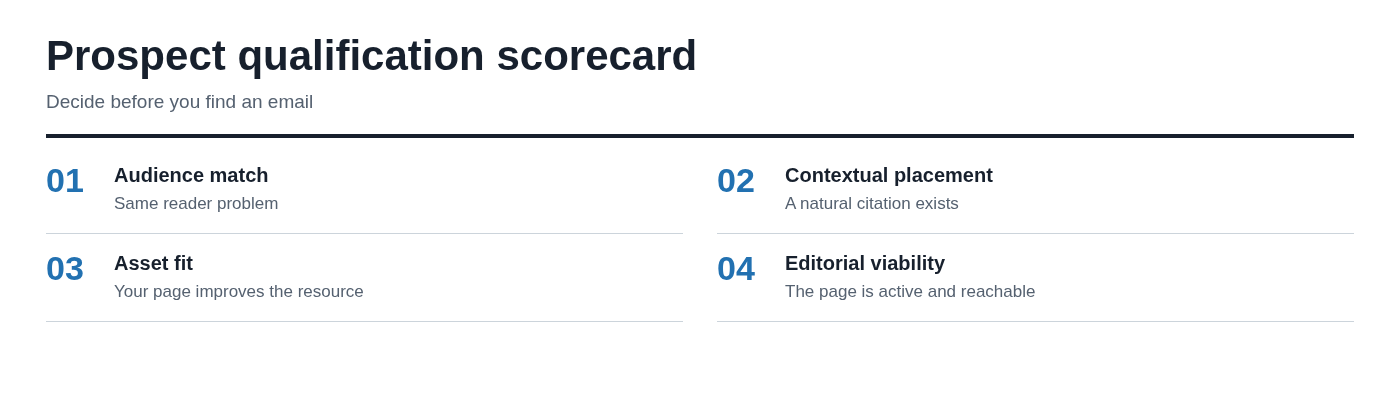
Use four questions:
- Does this page serve an audience with the same problem your asset addresses?
- Is there a natural, contextual place for a citation or addition?
- Is the target page maintained or plausibly open to updates?
- Can a writer, editor, or content owner reasonably act on the request?
If you cannot answer yes to all four, skip it. A large list of borderline domains is not a pipeline. It is a deliverability risk and a distraction from prospects with an actual editorial fit.
Prioritize prospects by relevance, placement potential, and editorial quality
Domain Rating is useful context, but it is a poor standalone priority signal. A high-DR general news site with no reason to update an old article is less valuable than a focused B2B publication whose readers would benefit from your resource.
Prioritize prospects using a lightweight judgment model: topical fit, visibility of the specific page, likely placement quality, freshness, and contactability. A live article with steady relevant traffic, a clear citation opportunity, and an identifiable author should usually outrank a more authoritative but inaccessible domain.
Start with a small, high-confidence batch. Twenty carefully qualified pitches can teach you more about your angle than 500 generic emails. If editors respond positively but do not publish, improve the proposed placement or asset. If nobody responds, revisit the targeting and message before scaling. These principles also align with the best backlink strategies for B2B and SaaS companies.
Build a prospect sheet that supports decisions and follow-ups
A prospect sheet should explain why a page belongs in the campaign, not just store URLs. Include these fields:
- Prospect URL and domain
- Page topic and audience
- Opportunity type
- Linked competitor or broken URL, when applicable
- Proposed placement or citation location
- Best contact and role
- Personalization detail
- Status and next action
The most important field is proposed placement. Write something concrete, such as "replace the dead 2021 benchmark link in the churn metrics section" or "add our updated checklist after the paragraph on onboarding workflows." If that field is blank, you are not ready to send an email.
Find the right contact without treating Ahrefs as an email finder
Ahrefs is a prospecting and backlink-analysis platform, not an Ahrefs email finder. It can help you identify authors, sites, and the pages where relevant content lives, but contact research still requires judgment.
Check the article byline, author archive, editorial team page, contributor guidelines, company contact page, and relevant professional profiles. Use a dedicated email-finding and verification tool if your process requires it, but verify that the person actually has responsibility for the requested change.
The best recipient is usually the author, editor, content owner, or resource-page maintainer. A generic inbox is a fallback, not the preferred route. Use an accurate sender identity, explain why you are reaching out, and respect a clear request not to be contacted again.
Match the recipient to the requested change
Match the contact to the work involved. For a citation in a named writer's article, contact the writer first if their details are available. For a resource hub, the content editor or site owner may be more appropriate. For a contributed article, look for the partnerships editor or the publication's stated guest-post process.
A common mistake is emailing several people at the same company with the same low-value request. It creates internal duplication and makes the outreach look careless. Contact one well-matched person, then escalate only if there is a legitimate editorial route and no evidence that your first email was seen or declined.
Turn Ahrefs insights into a credible outreach email
Your email should reflect research done in Ahrefs and during page-level review. Mention the exact article, existing citation, broken resource, or missing reader need that prompted the message. That is what separates useful outreach from a template blast.
A concise structure works best: a specific observation, a reason for contacting them, a proposed improvement, and an easy next step. Do not manufacture familiarity, praise an article you clearly did not read, or use vague phrases such as "this will boost your SEO." Editors care about accuracy and reader value, not your link target.
Backlink outreach email template for a contextual resource suggestion
Use this as a starting structure, then rewrite it for the page and recipient.
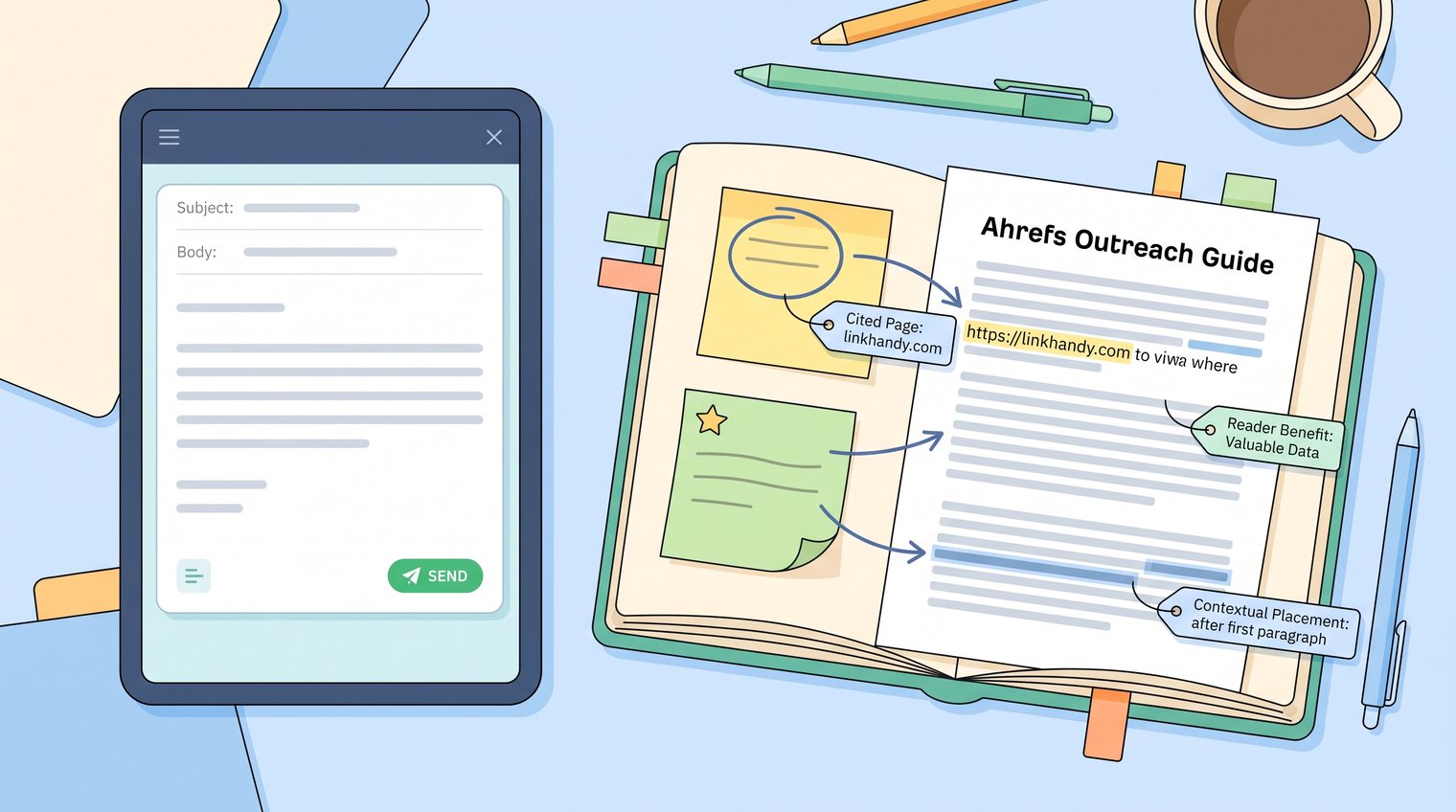
Subject: Possible addition to your [topic] guide
Hi [Name],
I was reading your [page title] and noticed the section on [specific topic] links to [existing resource or describes a missing point].
We recently published [your resource], which includes [specific contribution, such as original data, a step-by-step method, or an updated comparison]. It may be useful for readers who want to [reader outcome].
If you are updating the page, would you consider adding it near [specific section or sentence]?
Either way, thanks for putting together such a practical resource.
Best,
[Your name]
An Ahrefs outreach email example should contain a detail earned through research, not a fill-in-the-blank compliment. For example: "Your guide cites the 2022 benchmark in the activation-rate section; our 2025 dataset breaks that metric down by company size and onboarding model." That sentence tells the editor you saw the page, understand the existing reference, and have a specific reason to suggest an update.
Adapt the message to the opportunity type
For a broken link, lead with the broken destination and explain how your page covers the same subject. For a content update, point to the outdated claim and offer the relevant current source. For an unlinked mention, thank them briefly and request a link to the most useful supporting page, not your homepage by default.
A guest-post conversation needs a different ask. Propose a fresh angle, show why it suits the publication's audience, and offer a short outline rather than asking for a link in someone else's article. If guest contributions are part of your approach, review this guide to blogger outreach services for additional context.
Do not use a template at all when there is no defensible placement or reader benefit. In that situation, better wording will not solve the underlying problem.
Run a restrained follow-up sequence and record outcomes
Send one useful follow-up after a reasonable interval, often five to seven business days. Restate the proposed change in one or two lines and make it easy to decline. A second follow-up is appropriate only when you have a real new detail, such as an updated dataset, a corrected URL, or a relevant editorial deadline.
Track every prospect as sent, replied, interested, published, declined, bounced, or do-not-contact. A clean status system prevents duplicate contact and gives you reliable campaign data.
Non-response is feedback. It may indicate weak targeting, a poor asset-to-page match, an unclear ask, or bad timing. It is not a signal to send more emails to weaker prospects.
Use reply data to improve the next prospect batch
Review outcomes by opportunity type, asset format, target role, and message angle. You may find that editors respond to data updates but ignore general resource suggestions, or that author-led outreach works better for contextual citations than generic editorial addresses.
Separate positive reply rate from published-link rate. A friendly response is encouraging, but the campaign's real result is a live, relevant editorial placement. Tracking both metrics shows whether the issue lies in prospecting, outreach, or the final editorial decision.
Verify earned links and measure the campaign beyond send volume
When a link goes live, verify it rather than assuming the request was completed as intended. Use Ahrefs backlink monitoring and inspect the referring page itself. Confirm that the link points to the correct target URL, appears in relevant editorial context, remains live, and has an appropriate link attribute.
Report on qualified prospects, delivery performance, positive replies, live editorial links, referring-domain relevance, and the organic performance of linked target pages. Rankings and traffic often take time, especially for competitive B2B terms, so judge the campaign by link quality and what you learned as well as longer-term SEO movement.
Using Ahrefs to verify earned links
Ahrefs is useful for checking whether newly earned backlinks have been discovered and for reviewing the broader backlink profile over time. It gives SEO teams a way to connect outreach activity with actual referring pages rather than relying on sender reports alone.
Its meaningful limitation is that no tool view replaces manual verification. A backlink may be present but buried in poor context, pointed at the wrong page, marked with an unexpected attribute, or removed after a later site update. Choose Ahrefs for monitoring and investigation, then open the live referring page before counting a placement as successful.
Common Ahrefs outreach mistakes that waste prospecting time
- Exporting every competitor backlink: This produces a large but low-quality list. Correct it by reviewing referring pages and keeping only opportunities with a real audience and contextual placement.
- Prioritizing metrics over topical relevance: A high metric does not create editorial fit. Rank prospects by reader match, page visibility, freshness, and placement potential first.
- Pitching without a placement idea: Asking an editor to find a place for your link shifts the work to them. Name the exact section, reference, or gap your asset addresses.
- Contacting the wrong person: A generic marketing address may never reach the content owner. Find the author, editor, or maintainer responsible for the relevant page.
- Using generic follow-ups: "Just checking in" adds no value. Follow up once with a clear reminder or a genuinely new helpful detail.
Use these points as a pre-send check. If a prospect fails on relevance, placement, or contact fit, remove it rather than trying to rescue it with a more aggressive email sequence.
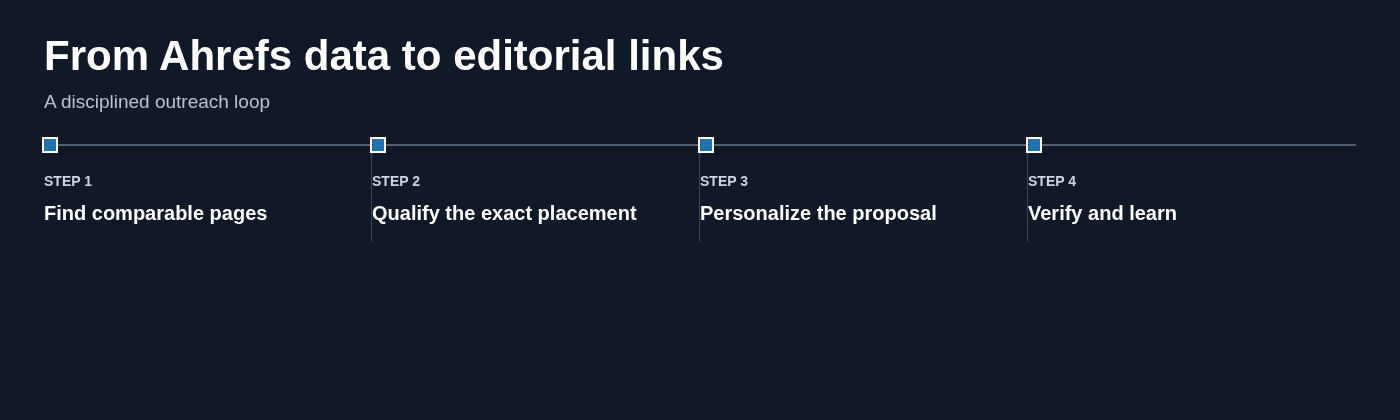
Build an Ahrefs outreach process that publishers want to say yes to
Ahrefs is most valuable when it helps you make evidence-based prospecting decisions. It reveals comparable pages, competitor citations, and backlink context. The link itself is earned through a useful asset, a relevant placement, and a respectful editorial ask.
Build smaller, better-qualified batches. Read every page before contacting anyone. Give the recipient a clear reason to update their content, and use campaign results to sharpen the next round of research.
Teams that need help turning qualified prospects into transparent, white-hat editorial placements can explore LinkHandy's link-building services.