
A backlink can be live, visible, and correctly placed, yet still deliver less SEO value than expected if Google has not indexed the page containing it. That is why a placement report alone is not enough. You need to verify the referring page, not just the domain or the link itself.
Checking whether a backlink page is indexed is straightforward once you separate a few signals that are often confused. This guide walks through the checks in the right order, what each result means, and when an unindexed placement actually needs follow-up.
What indexed backlink pages tell you about link value
An indexed referring page is a page Google can potentially surface in search results. If the article or resource page containing your backlink is not indexed, Google is less likely to consistently process that page as part of its searchable index, which can limit the SEO value of the placement.
However, indexation is not a guarantee that a backlink passes ranking value or improves rankings. Google evaluates many additional factors, including the relevance and quality of the referring page, the editorial context of the link, the link attributes, the destination page, and the broader link profile.
There are three separate things to check:
- The referring URL is indexed: Google can find the specific page that contains your backlink.
- Your target URL is indexed: Google can find the page on your own site receiving the backlink.
- A third-party backlink tool has found the link: A crawler such as Ahrefs or Semrush has recorded it in its own database.
Those signals overlap, but they are not interchangeable. A backlink tool can report a link that Google has not indexed. Google may index a page before a third-party crawler discovers it. And a page can be indexed while its link is nofollow, redirected, or otherwise less useful than you expected.
Collect the exact referring-page URL and verify the link first
Start with the exact URL of the page where the backlink appears. Do not use the publisher's homepage, its category page, or a domain-level metric from an outreach report. You need the article, guide, comparison, resource page, or guest post that contains the actual link.
Open that page in a normal browser window and confirm four details:
- The backlink is still present on the published page.
- It points to the intended destination URL.
- The anchor text matches what was agreed or expected.
- The link attribute is recorded correctly, such as standard followed, nofollow, sponsored, or ugc.
Be precise with URL variants. A false negative often comes from checking the wrong version of a page: http instead of https, www instead of non-www, a missing trailing slash, a URL with tracking parameters, or the first page of a paginated article series. Use the URL in the browser after the page fully loads, then check whether it redirects to a different canonical version.
A common mistake is treating a line item in a backlink report as proof of a live placement. Reports can become outdated after edits, redirects, content pruning, or changes to a publisher's site structure. Verify the page before spending time diagnosing its index status.
Check Google with a site: search
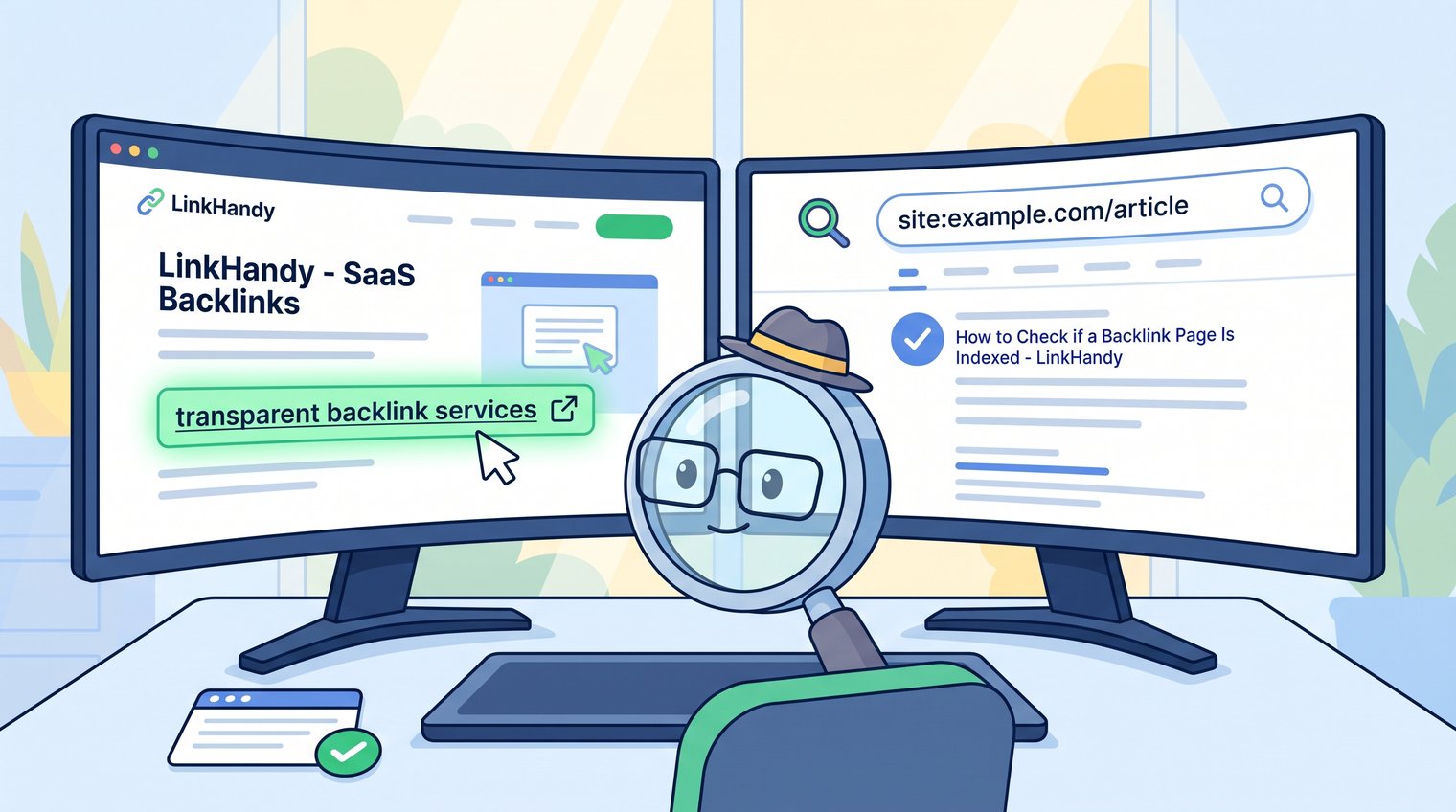
The fastest manual check is a Google site: search. Search the referring domain together with the URL path or a distinctive title phrase from the article. This tells Google to narrow the results to that publisher's website.
If the exact article appears with the expected URL, that is strong practical evidence the page is indexed. If you find a closely related result with a different URL, investigate whether Google selected a canonical version or the publisher moved the content. If nothing appears, do not immediately conclude the page is deindexed; site: searches are useful indicators, not a complete index-status API.
When your first query returns no result, repeat the search with a cleaner version of the URL and then with a unique title or sentence from the article. This catches pages whose parameterized or redirected URLs differ from the version Google recognizes.
Use exact URL and title-fragment queries
Try these patterns, replacing the domain and slug with the referring page details:
- site:example.com/blog/article-slug
- site:example.com "A unique article title goes here"
- site:example.com "A distinctive sentence from the article"
A title or sentence query is particularly useful when the URL supplied in an outreach sheet includes UTM parameters, when the page redirects, or when the publisher's CMS changes URL formatting. Google may return the clean canonical version even when it does not return the exact submitted URL.
For example, a placement report may list example.com/resources/saas-seo?utm_source=partner, while Google indexes only https://www.example.com/resources/saas-seo/. The page may be indexed; you were simply searching the wrong version.
Avoid treating a domain-level result as proof
Finding the publisher's homepage, a tag archive, or a category page does not prove that the specific page containing your backlink is indexed. The result must be the referring article itself, or a verified canonical equivalent of it.
Also, do not rely on a search snippet as proof that your link works. Snippets can be stale, truncated, or drawn from another part of the page. Open the live URL and inspect the actual backlink destination and attributes separately.
Use Google Search Console when you control the referring site
If you own or manage the referring domain, Google Search Console's URL Inspection tool is the most authoritative practical way to check Google's view of a particular URL. Enter the exact referring-page URL into URL Inspection and review the indexing and canonical information.
Pay attention to these signals:
- URL is on Google: Google has indexed the inspected URL or recognizes it as an indexed URL.
- URL is not on Google: The page is currently not indexed, and Search Console may show a reason.
- Google-selected canonical: Google may have chosen another URL as the representative version.
- Crawling allowed: Googlebot is not blocked from crawling the page by robots rules.
- Noindex status: A meta robots directive or HTTP header may instruct Google not to index the page.
Most recipients of guest-post, digital PR, or contextual link placements will not have Search Console access for the publisher's domain. That is normal. Do not ask publishers to share private Search Console data. Instead, use live-page checks, Google search results, and an evidence-based request if a placement appears to have a technical problem.
Use backlink tools as corroboration, not the final verdict
Backlink platforms are valuable for discovering referring pages, monitoring changes, and organizing campaign records. They are not a direct confirmation of Google's current index status. Their crawlers operate on their own schedules and maintain their own link databases.
Use these tools to identify what needs checking, then validate meaningful placements with the live source URL and Google search.
Ahrefs Backlink Checker
Ahrefs Backlink Checker can help locate known referring pages and review link context when that data is available. It is useful for spotting links you may not have logged, reviewing source pages at scale, and checking whether a tool has detected a placement over time.
Do not interpret a missing backlink or a newly discovered backlink in Ahrefs as a final statement about Google. A missing record can reflect crawl timing, database updates, or a temporary crawl issue. Likewise, a new Ahrefs discovery does not prove that Google just indexed the referring page.
Semrush Backlink Analytics
Semrush Backlink Analytics is useful for monitoring referring domains, backlink changes, and the growth of a campaign over time. It can help you identify source URLs that need a live check, especially when a placement appears lost or a referring domain changes its structure.
For each important placement, log the source URL, first-seen date, target URL, anchor text, and observed status. Then validate the source page in a browser and through Google rather than relying solely on a platform label.
Check the page's indexability when it does not appear in Google
If a referring page is live but does not appear in Google search results, look for observable technical reasons before escalating. You cannot fix a publisher's website yourself, but you can provide a useful, specific report to the site owner or editor.
Common causes include:
- A noindex meta robots tag in the page HTML.
- An X-Robots-Tag: noindex HTTP header.
- Robots.txt rules that block crawling.
- Password protection, login requirements, or geographic restrictions.
- Soft 404 behavior, where a page loads but appears empty, unavailable, or low-value to Google.
- Redirect chains that prevent the original page from being the final indexable URL.
- A canonical tag pointing to another page.
Robots.txt is commonly misunderstood. It does not automatically remove a URL from Google's index. But if Google cannot crawl a page, it may be unable to see a removed noindex directive, updated content, or other changes that would affect indexation.
For a placement you do not control, report only what you can verify: the exact URL, the live-link status, the search query used, the date checked, and the apparent technical signal. Avoid trying to direct the publisher's technical implementation unless they ask for help.
Separate canonicalization from deindexing
A non-indexed URL is not always a missing page. Google may have excluded one duplicate version and indexed another canonical version instead. This is common with URL parameters, HTTP and HTTPS duplicates, trailing-slash variations, print pages, and migrated CMS structures.
Check the canonical URL in the page source when possible, then search for that canonical version. If Google indexes the canonical page, open it and verify whether your backlink also appears there. A link that exists only on a noncanonical duplicate is a different situation from a link on the canonical page Google has chosen.
Review whether the backlink can be counted and crawled
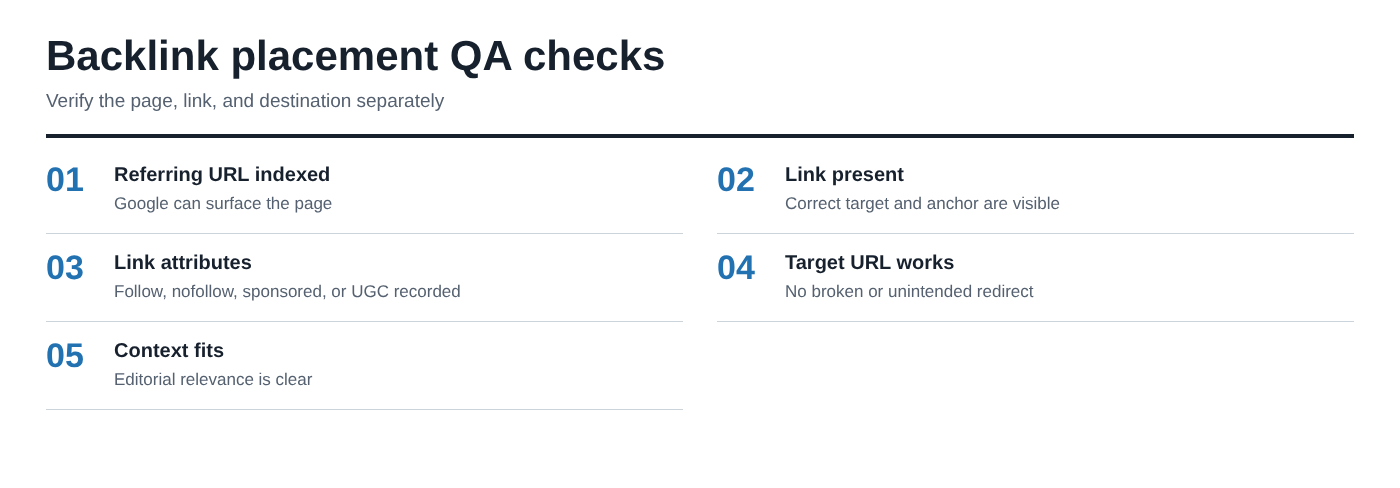
Once you confirm that the referring page is indexed, inspect the backlink itself. An indexed page does not automatically mean the link is accessible, crawlable, or strategically useful.
Review the following items:
- Link attributes: Record whether the link is standard followed, nofollow, sponsored, or ugc. For a fuller explanation of these classifications, see link rel attributes.
- Destination: Confirm the link reaches the intended target without a broken page or an unintended redirect.
- HTML visibility: Make sure the link is present in the rendered page and not hidden behind an interaction Google may not reliably process.
- Destination accessibility: Verify your own target page is not blocked, noindexed, or redirected to an irrelevant URL.
- Editorial context: Check that the surrounding copy is relevant and that the placement reads naturally for the publisher's audience.
Nofollow and sponsored links are not worthless. They can create qualified referral traffic, improve brand visibility, support discovery, and generate legitimate commercial value. The mistake is reporting them as equivalent to standard editorial followed links when they are not.
Evaluate the referring page, the link, and the target page as separate assets. A healthy backlink requires all three to work together.
Decide whether an unindexed backlink page needs action
Not every unindexed page needs an immediate escalation. The right response depends on the age of the placement, the publisher's reputation, the quality of the page, the likely technical cause, and the importance of the link to your campaign.
A legitimate new article on a healthy, public website may take time to be crawled and indexed. By contrast, an older placement on a weak, thin, inaccessible, or obviously misconfigured page deserves closer attention.
Do not request artificial indexing tactics or assume that a publisher can guarantee immediate indexation. Indexing is ultimately Google's decision. The practical goal is to ensure the page is useful, accessible, technically sound, and worth Google crawling.
When to wait and monitor
Wait and monitor when the placement is recent, the article is publicly accessible, the publisher is credible, and the page appears to be a legitimate piece of content rather than an orphaned or low-quality URL. Record the publication date and schedule a recheck rather than searching every day.
A sensible default is to recheck a new placement after two to four weeks, then again after another month if the page remains live and the publisher's site is otherwise healthy. For an active site that publishes frequently and has clear internal linking, patience is often the correct first move.
When to contact the publisher
Contact the publisher when the page has had reasonable time to be discovered, there is clear evidence of an indexability issue, the URL redirects unexpectedly, the link is gone, or the placement no longer matches the agreed deliverable.
Keep the message neutral and specific. Include:
- The exact source URL.
- Confirmation that the backlink is live, or a note that it is missing.
- The date you checked it.
- The Google query used.
- The suspected issue, such as a canonical mismatch, noindex directive, or inaccessible page.
- A clear next step, such as asking the publisher to review the page's indexability or confirm the canonical URL.
Do not assume the publisher intentionally removed or deindexed the page. Content migrations, plugin changes, template updates, and editorial revisions can create accidental issues.
Monitor backlink changes after placement
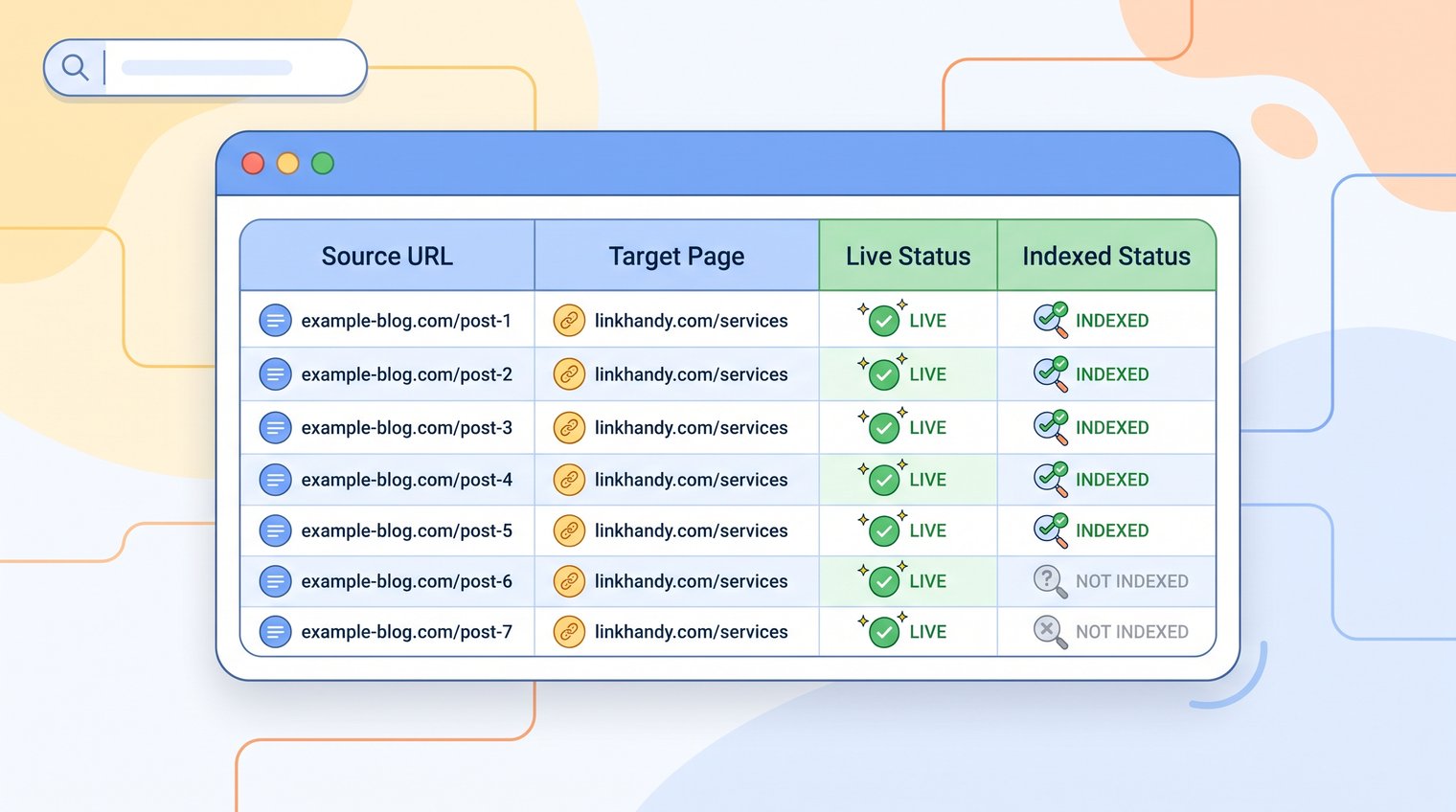
Keep a record for every meaningful placement: publisher, source URL, target URL, anchor text, rel attribute, live-link status, indexed status, canonical URL, placement date, last-checked date, and notes on redirects, content updates, or publisher communication. A periodic SEO link audit can help organize these checks across a larger backlink profile.
Prioritize newly acquired and high-value links first, then perform periodic spot checks on older placements. A monthly review for recent campaign links and a quarterly review for important older links is a practical starting point for many B2B SEO teams.
Track backlink impact by target page, not by a single link
A backlink is rarely responsible for a ranking movement on its own. Group placements by the target page they support, then review that page's impressions, clicks, rankings, organic entrances, and conversions alongside link acquisition dates. For a more detailed measurement framework, see how to track backlink impact by target page.
This approach is more honest and more useful than claiming that one placement caused a specific ranking gain. SEO outcomes are cumulative and influenced by content quality, internal linking, technical performance, competitor activity, search demand, and the authority of the rest of the site.
A reliable backlink index-check workflow
Use the same sequence for every important backlink:
- Confirm the live backlink on the exact referring-page URL.
- Check that it points to the correct target with the expected anchor text and rel attribute.
- Search Google for the exact referring page using a site: query, a title fragment, or a unique sentence.
- Use Search Console URL Inspection when you control the referring site.
- Investigate canonical, noindex, redirect, accessibility, and crawl signals if the page does not appear.
- Record the result and recheck only when the placement age and importance justify it.
The goal is not to promise that every backlink will be indexed immediately or produce a visible ranking jump. It is to run disciplined quality assurance, document what is true today, and make informed follow-up decisions when a placement has a genuine issue.
Teams that need transparent verification and white-hat placement quality assurance can discuss a backlink strategy with LinkHandy.